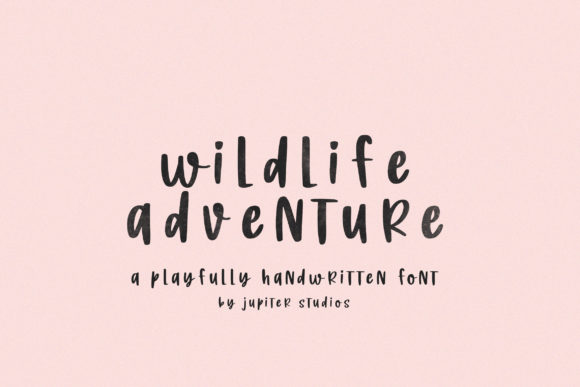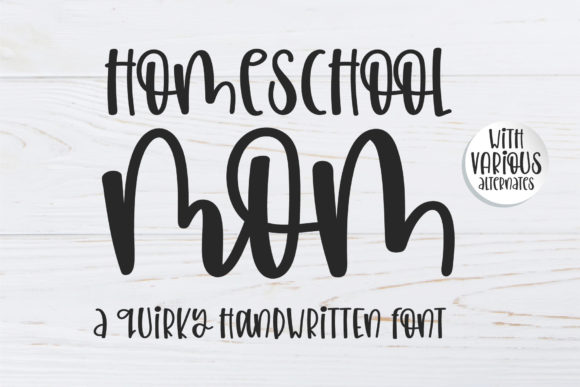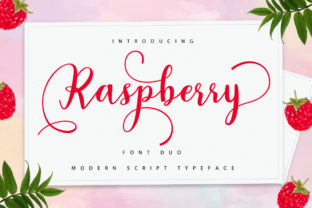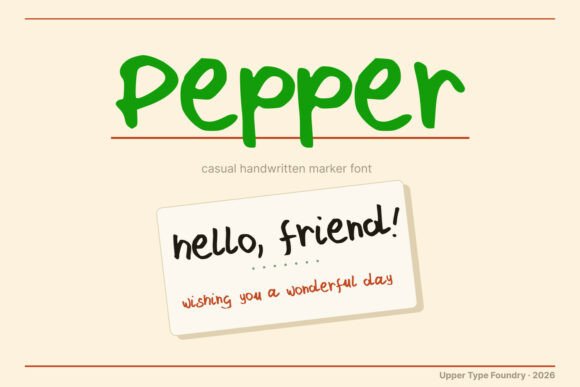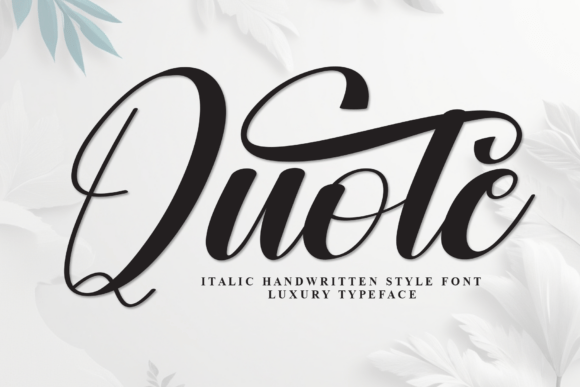
Quote: Immerse Yourself in the Charming Allure of Our Whimsical Handwritten Display Font
Quote isn’t just another script font—it’s a carefully crafted handwritten display typeface designed to convey warmth, personality, and quiet confidence. With its gentle curves, subtle inconsistencies, and natural rhythm, Quote mimics the expressive flow of ink on paper—without the unpredictability of real handwriting. That’s why designers, small business owners, educators, and wedding stationers consistently choose Quote when they need typography that feels personal, joyful, and unmistakably human.
Why People Reach for Quote (and Why It Often Works So Well)
Most users discover Quote while searching for fonts that “feel friendly” or “look handmade but still professional.” And rightly so: it balances approachability with polish. Unlike overly ornate scripts that sacrifice legibility—or stiff, digitized calligraphy that lacks soul—Quote maintains clarity at medium to large sizes while preserving organic charm. It shines in contexts where emotional resonance matters: wedding invitations that whisper romance, boutique packaging that invites touch, classroom posters that spark curiosity, or blog headers that make readers pause and smile.
A Common Misstep: Using Quote Where It Doesn’t Belong
One of the most frequent oversights is deploying Quote for body text, long paragraphs, or small UI elements like buttons or captions. Its delicate strokes and connected letterforms aren’t engineered for sustained reading at 14px or below. When used this way, readability drops sharply—especially on mobile screens or for readers with visual sensitivities. The result? Messages get missed, engagement dips, and even well-intentioned designs unintentionally feel cluttered or inaccessible.
For example, imagine a local bakery using Quote for their entire online menu—item names, prices, and descriptions all in the same flowing style. What begins as charming quickly becomes tiring to scan. A better approach? Use Quote only for the shop name and special seasonal headers, then pair it with a clean, highly legible sans serif (like Inter or Lato) for all supporting text. This preserves personality without compromising function.
Misunderstanding Licensing—and Paying More Than Necessary
Quote is available under multiple licensing tiers: personal use, commercial use, web embedding, and extended licenses for merchandise or SaaS platforms. Yet many creators assume “free download = free to use anywhere,” only to face takedown notices or unexpected fees later. Others overbuy—purchasing an enterprise license when a simple desktop license would cover their freelance client work.
Before downloading or purchasing, ask yourself: Where will this font appear? On printed wedding suites? Yes—desktop license covers that. Embedded in a WordPress theme sold to clients? You’ll need a web font license. Used in a logo you’re trademarking? That’s fine—but if the logo appears on physical products you sell (mugs, T-shirts), check whether your license includes product resale rights. When in doubt, review the official license terms—not third-party summaries—and contact the foundry directly if your use case is unusual.
Overlooking Pairing Strategy (and Losing Visual Hierarchy)
Quote excels as a headline or accent font—but it needs thoughtful companionship. Dropping it next to another decorative script, a heavy slab serif, or a clashing handwritten font creates visual noise rather than harmony. Worse, poor pairing can flatten hierarchy: if your heading and subheading look equally dominant, readers won’t know where to start.
Try this instead: choose one neutral, versatile companion font—ideally with open counters and generous x-height—and use it for everything else. For instance, Quote + Open Sans creates contrast without competition. Or Quote + Cormorant Garamond adds gentle sophistication without overwhelming the hand-drawn charm. Test combinations at actual size, in context—not just side-by-side in a font menu.
Assuming “Handwritten” Means “No Kerning Needed”
Because Quote mimics natural writing, some assume spacing is automatically perfect. But digital fonts—even expressive ones—require manual attention. Default kerning may leave awkward gaps between certain letter pairs (like “Tr”, “Wa”, or “Yo”) or create unintended collisions (“f” + “i”, “r” + “e”). Left unadjusted, these inconsistencies undermine the very authenticity Quote promises.
The fix is simple but essential: enable optical kerning in your design app (Illustrator, Affinity Designer, or Figma), then do a quick pass through headlines to spot problem areas. Adjust manually where needed. Even five minutes of refinement makes a measurable difference in perceived professionalism—especially in high-stakes materials like wedding invitations or brand launches.
Skipping Real-World Testing Before Finalizing
It’s easy to fall in love with how Quote looks on your high-resolution monitor—but fonts behave differently across devices, browsers, and print processes. A flourish that reads as delicate on screen might vanish when printed on textured cotton paper. A subtle baseline shift may disappear entirely in Safari but stand out in Chrome.
Always test early and often: export a PDF and view it on a phone, print a draft on your home printer, then order a physical proof from your print vendor. If you’re embedding Quote on a website, check loading performance—some web font formats (WOFF2) compress more efficiently than others. And remember: not all browsers render variable font axes identically. If you’re using Quote’s stylistic alternates or weight variations, verify they render as expected across your audience’s common setups.
What to Check Before You Commit
- File format compatibility: Does your software support OTF, WOFF2, or variable font files? Some older versions of Canva or PowerPoint have limited support.
- Language coverage: Quote supports Latin-based languages well—but if your project includes accented characters (é, ñ, ü) or extended punctuation, preview them before finalizing.
- Design intent alignment: Is your goal elegance, playfulness, nostalgia, or modern whimsy? Quote leans toward warmth and sincerity—not sharpness or irony. If your brand voice is bold, minimalist, or tech-forward, it may not be the best fit.
- Support & updates: Reputable foundries offer updates, bug fixes, and responsive support. Check release notes and user forums to see how actively Quote is maintained.
Choosing and using Quote thoughtfully doesn’t require expert-level typography knowledge—it just asks for intention. When you honor its strengths (expressive charm, human rhythm, joyful clarity) and respect its boundaries (size limits, licensing scope, pairing needs), it becomes more than a font. It becomes a quiet collaborator in your storytelling—one that helps your message land with sincerity, grace, and just the right amount of delight.