Ratched
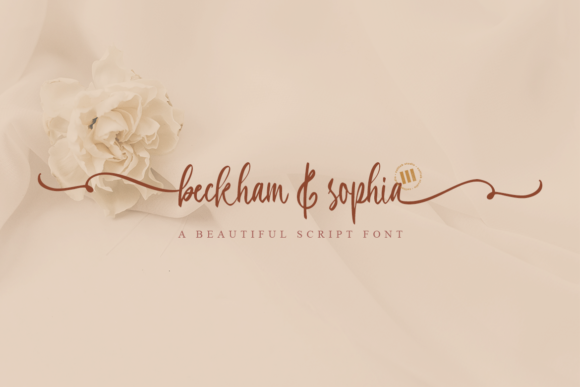
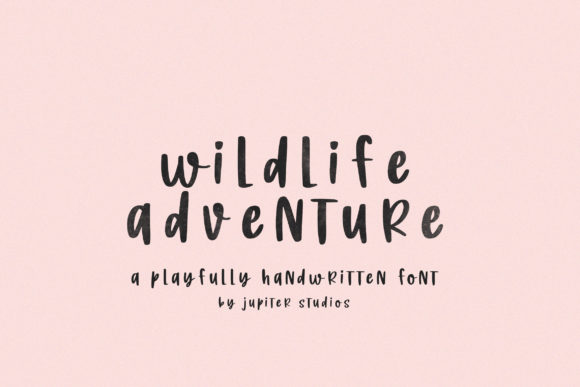
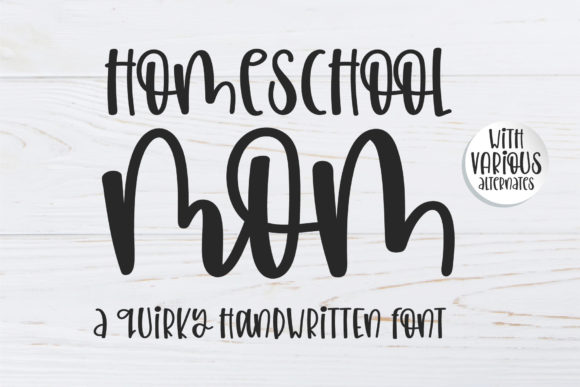
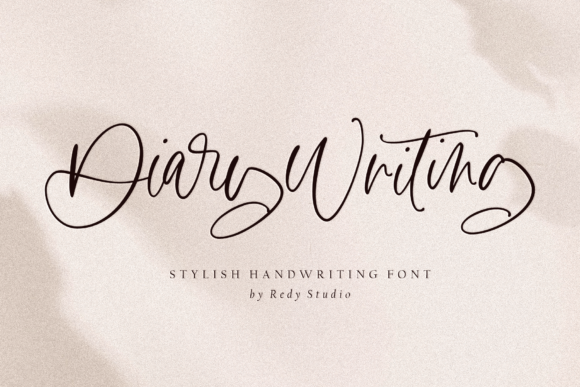
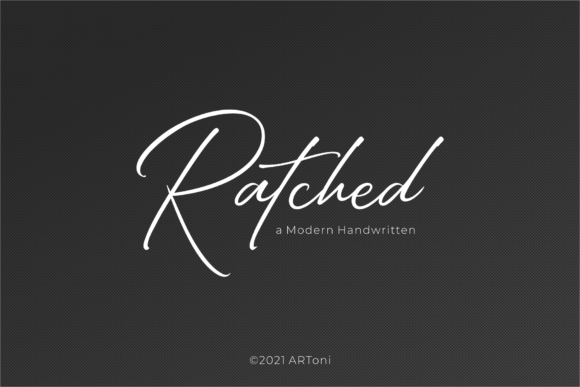
Ratched is a delicate and elegant handwritten font—designed not just to be seen, but to be felt in context. Its distinct letterforms are carefully balanced: neither overly ornate nor stripped of personality. Each curve, stroke, and spacing decision serves readability and emotional resonance. That balance makes Ratched more than a decorative choice—it becomes a functional element in visual communication workflows where tone, clarity, and authenticity matter.
Where Ratched Fits in Your Design Process
Fonts aren’t selected in isolation—they’re chosen at specific points in a workflow, often tied to intent and audience. Ratched enters most naturally during the refinement phase: after structure is defined, hierarchy established, and messaging locked down. It’s rarely the first font you pick for wireframing or prototyping—but it’s frequently the last one you choose before final export, because it adds a layer of human warmth that system fonts can’t replicate.
For example, a marketer building an email campaign might draft copy in Arial for speed and accessibility testing, then swap in Ratched for the headline and CTA button text once layout and responsiveness are confirmed. That switch isn’t about aesthetics alone—it’s about signaling intention. Ratched tells readers, “This message was crafted, not generated.”
Using Ratched Before, During, and After Creative Work
Before: Preparation matters. Ratched works best when paired with strong contrast—typically a clean, neutral sans-serif (like Inter, Lato, or Helvetica Neue) for body copy. Before opening your design tool, define your pairing strategy. Test legibility at small sizes (Ratched shines at 24–48pt but loses clarity below 16pt). Also verify licensing: Ratched is available for both web and desktop use, but commercial projects require appropriate licensing—especially if embedding in SaaS dashboards or client-facing PDFs.
During: Use Ratched intentionally—not everywhere. Apply it to elements that benefit from expressive emphasis: logos, invitations, editorial pull quotes, signature lines in presentations, or short hero section headlines. Avoid long paragraphs, data tables, or navigation menus. Its handwritten nature invites pause and attention; overuse dilutes that effect and compromises scannability.
After: Once implemented, evaluate consistency across devices and formats. Ratched renders differently in browsers versus native apps—test on iOS Safari, Chrome, and Figma previews. If exporting to PDF for print, embed the font and outline text where necessary to prevent substitution. For web use, serve WOFF2 files with fallbacks defined in CSS. This step ensures your intended tone survives handoff to developers or printers.
Real-World Integration Examples
- Educators: A university lecturer uses Ratched for slide deck titles and handout headers—keeping body text in Open Sans. Students report higher engagement with materials that feel personally curated, not templated.
- Freelance designers: When presenting brand concepts, they apply Ratched only to the client’s tagline mockup—not the full logo lockup—so the font supports, rather than defines, the identity.
- Small business owners: A ceramicist uses Ratched on product labels and Instagram story highlights, but keeps her website navigation and pricing tables in a highly legible sans-serif. The contrast reinforces craftsmanship without sacrificing usability.
- Bloggers and content creators: They reserve Ratched for featured quote graphics shared on Pinterest or X—where visual distinction drives saves and shares—while keeping blog post text fully accessible via system fonts.
Compatibility and Technical Considerations
Ratched supports Latin-based languages and includes standard OpenType features like ligatures, alternate characters, and stylistic sets. These aren’t just flourishes—they’re workflow tools. Enabling contextual alternates in Adobe applications, for instance, automatically swaps ‘f’ + ‘i’ for a smoother connected form, improving rhythm in longer words. But don’t enable every feature by default: test each in context. Some alternates work beautifully in headlines but disrupt readability in tight UI spaces.
Web implementation requires attention to loading performance. Self-hosting Ratched’s WOFF2 file (under 40KB) is faster than relying on third-party font services—especially for users on slower connections. Pair it with font-display: swap so fallback text appears immediately, then swaps in smoothly once Ratched loads. This preserves perceived performance while honoring design intent.
Workflow Efficiency and Long-Term Use
Adopting Ratched doesn’t slow you down—if you plan ahead. Create reusable style guides with exact font weights (Ratched has one weight: regular), sizing scale recommendations, and clear usage boundaries. Store these in Notion, Figma libraries, or internal wikis so team members apply it consistently—no ad hoc decisions mid-project.
Long-term, Ratched holds up well because it avoids trend dependency. Unlike fonts built around current design fads (e.g., ultra-thin serifs or exaggerated variable axes), Ratched relies on timeless proportions and organic flow. That means a brochure designed today will still feel intentional five years from now—not dated.
It also scales well across mediums. A business card using Ratched for the name looks cohesive next to a trade show banner using the same font at 120pt—because its x-height and spacing remain legible and graceful at both extremes. That cross-format reliability reduces rework when repurposing assets.
Quality Control and Practical Checks
Before finalizing any deliverable with Ratched, run three quick checks:
- Contrast check: Ensure text meets WCAG 2.1 AA contrast ratios—especially against light pastel or textured backgrounds. Ratched’s thin strokes can fade if background color is too close in value.
- Alignment test: Handwritten fonts sometimes sit unevenly on baselines. Zoom in and verify consistent vertical alignment across lines—adjust tracking or baseline shift if needed.
- Cross-platform preview: View exported PDFs on mobile, check web builds in Firefox and Safari (not just Chrome), and open Figma links in incognito mode to catch caching issues.
These aren’t extra steps—they’re part of responsible implementation. Skipping them risks inconsistency, accessibility gaps, or unintended tone shifts.
How Ratched Supports Decision-Making and Clarity
Typography influences perception—and perception shapes action. Ratched subtly signals care, intention, and individuality. That’s useful when guiding decisions: a nonprofit using Ratched in donor thank-you letters conveys sincerity more effectively than a generic font. A course creator applying it to certificate headers increases perceived value—students associate the elegance with achievement.
But it only works when aligned with purpose. If your goal is urgency (e.g., limited-time offers), Ratched may soften impact. If clarity trumps character (e.g., safety instructions), it’s the wrong fit. Let your objective drive the choice—not just preference.
That discipline—matching tool to task—is what separates effective use from decorative habit. Ratched earns its place when it solves a problem: adding warmth without sacrificing professionalism, distinguishing voice without undermining legibility, supporting meaning instead of competing with it.
When integrated thoughtfully, Ratched doesn’t just sit on the page. It participates—in the rhythm of reading, the credibility of a message, the cohesion of a brand system. And that’s how a font becomes part of your process, not just your palette.